A Journey through XPath Selectors
This document discusses XPath selectors and how they are visualized in the Osprey extension.
It's an innovative method that hopes to bring the power of these selectors to everyone, including non-technical folks.
Basics#
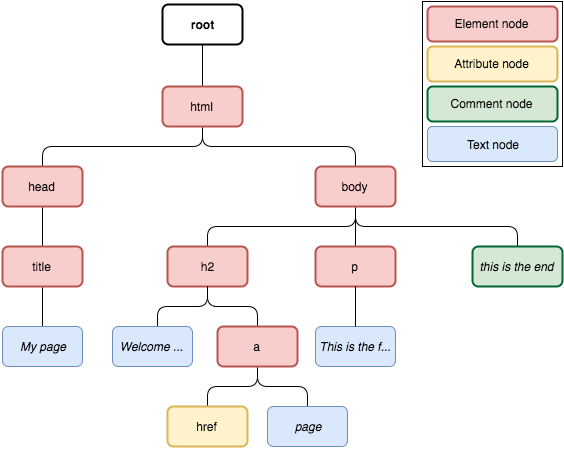
First off, there are four types of nodes in XPath. This is illustrated below:
Elements are able to be accessed through a number of axes. These are shown below:
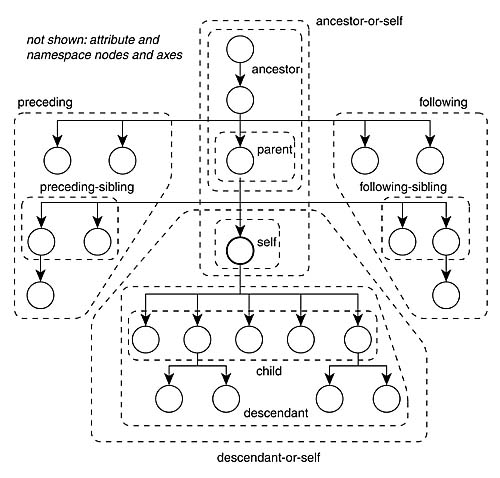
There are also some other axes for accessing attributes, etc.
Examples#
We'll go through some examples, illustrating the selector text and the visual tree that it represents.
In the following examples: ... indiciates the descendant-or-self axis.
child Axis#
descendant Axis#
Conclusions#
There's no good way to map the complexity of the above image of all the XPath Axes onto a simple nested tree structure that works as a React component.
Thus, we'll map the following:
- descendant, descendant or self, child - children of a node
- siblings - siblings of the node
- ancestor, etc - not supported immediately